Before starting, make sure you have installed Docker.
## Install Lazydocker ##### Get the latest version tag of Lazydocker release from GitHub. Assign version tag to variable. ```plaintext LAZYDOCKER_VERSION=$(curl -s "https://api.github.com/repos/jesseduffield/lazydocker/releases/latest" | grep -Po '"tag_name": "v\K[0-9.]+') ``` ##### Download archive from releases page of the Lazydocker repository. ```plaintext curl -Lo lazydocker.tar.gz "https://github.com/jesseduffield/lazydocker/releases/latest/download/lazydocker_${LAZYDOCKER_VERSION}_Linux_x86_64.tar.gz" ``` ##### Unzip archive: ```plaintext mkdir lazydocker-temp ``` ```plaintext tar xf lazydocker.tar.gz -C lazydocker-temp ``` ##### Move binary file to `/usr/local/bin` directory: ```plaintext sudo mv lazydocker-temp/lazydocker /usr/local/bin ```Now `lazydocker` can be used as a system-wide command for all users.
##### We can check Lazydocker version: ```plaintext lazydocker --version ``` ##### Archive and temporary directory is no longer necessary, remove them: ```plaintext rm -rf lazydocker.tar.gz lazydocker-temp ``` ## Testing Lazydocker ##### Run `hello-world` image inside a container: ```plaintext docker run hello-world ``` ##### Start Lazydocker: ```plaintext lazydocker ``` [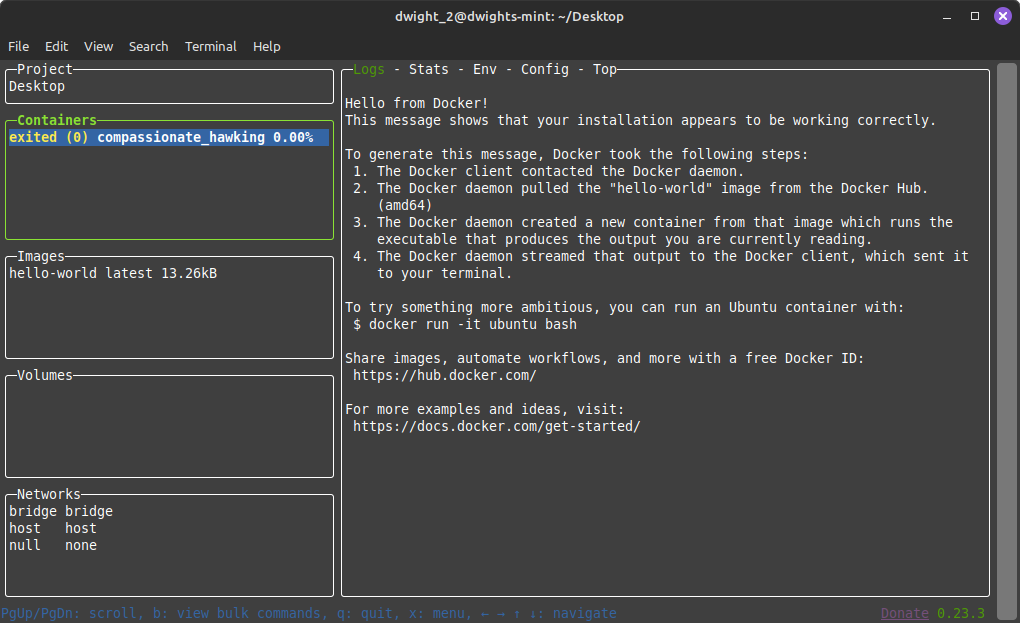](https://secretlibrary.rccf.club/uploads/images/gallery/2024-06/uQ8oUC666zVLWiJP-lazydocker-hello-world.png)You will see all of your images, containers, and volumes.
**Press CTRL+C, to exit Lazydocker.****This is not an error it a choice of security!!**
If you receive this message it is most likely because you did not give your user the permissions to access the Docker daemon without the use of sudo. This is usually done during install, you can check the Docker guide: [Linux post-installation steps for Docker Engine](https://docs.docker.com/engine/install/linux-postinstall/)